



Price: ₹44,999 - ₹23,999.00
(as of Sep 29, 2026 10:08:35 UTC – Details)

Product Description
XPPen Artist 13.3 Pro: Your Canvas, Enhanced 

XPPen Artist 13.3 Pro Pen Display – 13.3-inch Full HD (1920×1080) screen with 120% sRGB color gamut, delivering sharp details and vibrant, true-to-life colors to elevate your digital art.
Smooth, lag-free performance 
With 8,192 levels of pressure sensitivity, the battery-free stylus delivers high accuracy and control for fine lines, subtle strokes, and natural shading—letting you draw and paint smoothly, just like on paper.


1 Rich, vivid color gamut
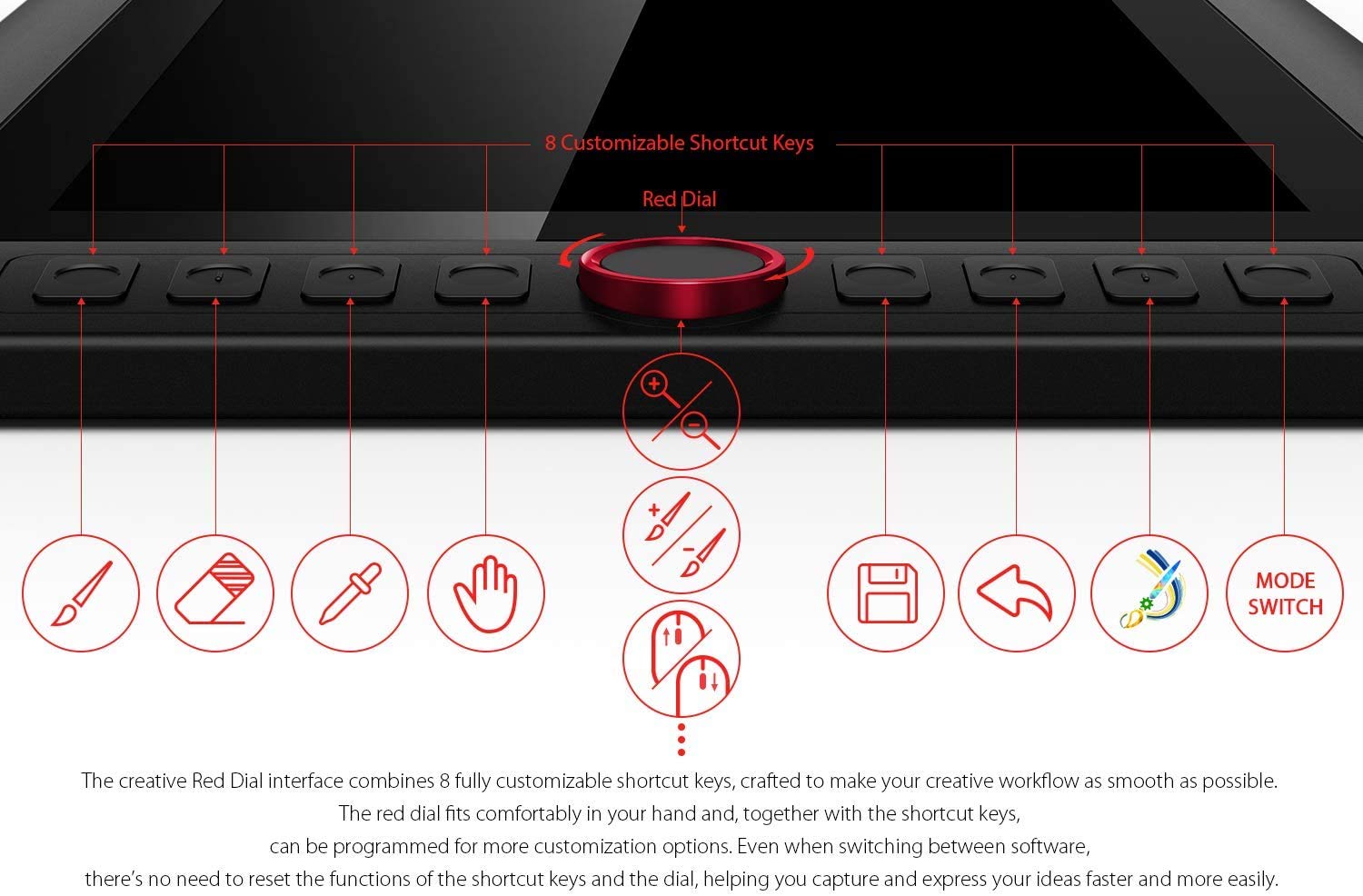
2 Convenient Shortcuts
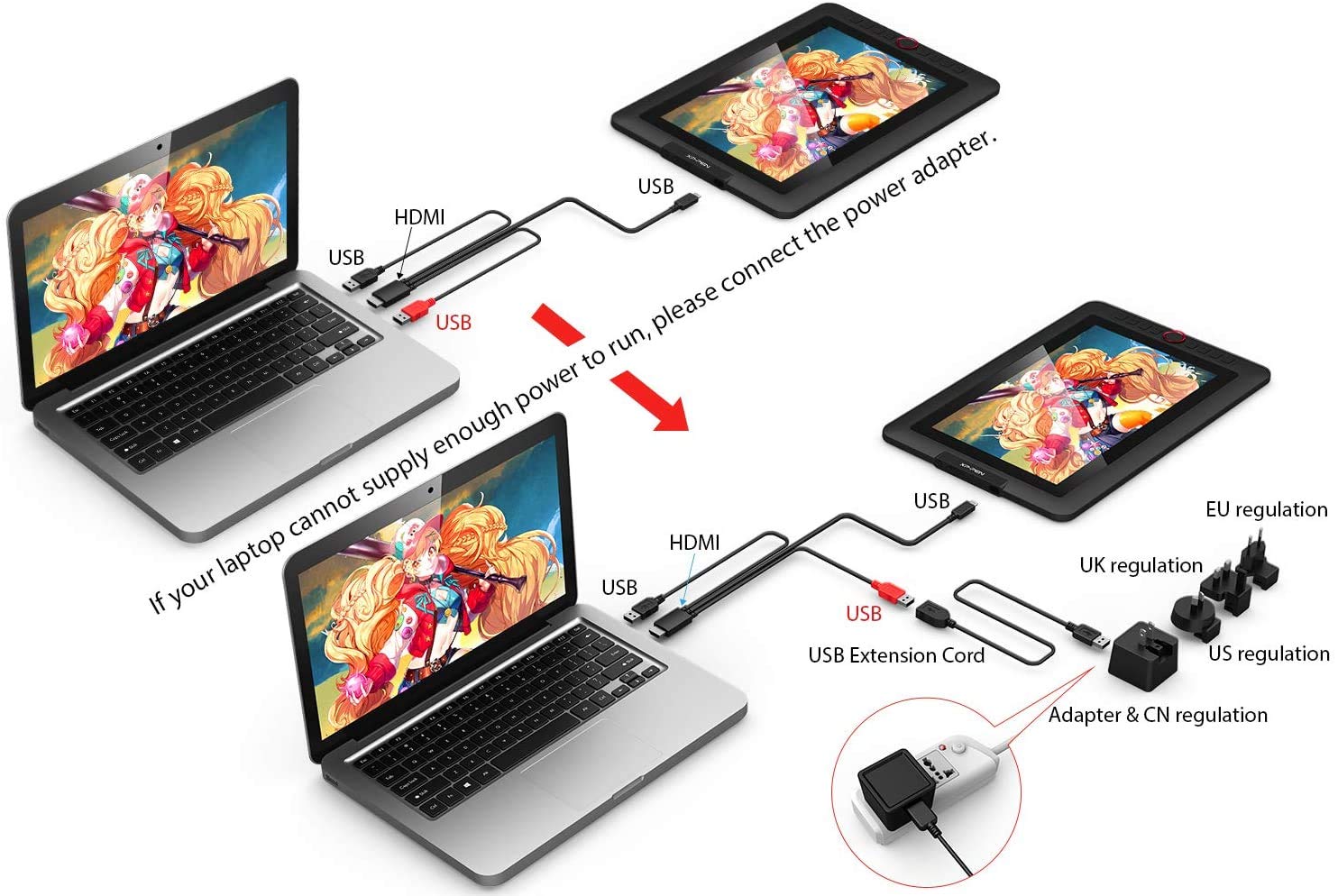
3 Easy Connection


The video showcases the product in use.The video guides you through product setup.The video compares multiple products.The video shows the product being unpacked. XPPen Artist 13.3 Pro Pen Display
✅ [High Performance]: Full HD screen with 13.3” active area offers excellent colour accuracy. Draw, Design, Model and Create directly on the screen easily. The anti-glare screen and fully laminated screen ensures there’s no parallax between the nib and cursor. It’s a comfortable canvas to create on, while still being easy to carry. Available in multiple size options.
✅ [Battery-free Stylus] Artist 13Pro Pen Display is equipped with the PA2 Battery- Free Stylus giving you an upgraded drawing experience. It never requires charging, allowing uninterrupted usage while delivering a natural pen experience. Also, no batteries means no clumsy wires and a greener choice.
✅ [8192 levels of Pressure sensitivity]: Best-in-class 8192 levels of pen pressure sensitivity allows you to create variations in line width and opacity, giving you a real pen-on-paper feel. Stylus supports 60 degrees of tilt and is also equipped with automatic line correction and intelligent anti-shake function to create the best drawing experience.
✅ [9 Shortcut keys & Red Dial]: One-click toggle on stylus, 8 customisable shortcut keys and a customisable red dial help improve workflows and increase speed. Program the keys to perform your most commonly used functions like switch from pen to eraser, zoom, copy, change brush, etc. Suitable for both left and right hand users.
✅ [Supports All Design Softwares]: XPPen drawing displays are software neutral, meaning they work seamlessly with ALL commonly used design softwares including AdobeCC, Krita, Corel, Clip studio, Blender, etc.
✅ [Great for online teaching]: Use XPPen pen displays for teaching online, note-taking, annotations, digital signatures, etc. Compatible with all writing softwares like MS Teams, Word, Powerpoint, Zoom, etc.
✅ [Simple Connectivity]: Easy 3-in-1 USB-C cable connection which will help keep your workstation tidy. For advanced settings such as pen pressure and express keys, download the free driver and follow a simple 3-step installation.
✅ [Windows, Mac, Linux support]: Artist 13.3 Pro is compatible with Windows 7 (or later), Mac OS X 10.10 (or later), Chrome OS 88 (or later) and Linux (Detailed versions), Perfect to connect with your laptop or workstation.
✅ [Technical support]: We offer a pan-India 12 months replacement warranty on XPPen graphic tablets. For technical support, call us on our toll free number or raise a ticket on our website.
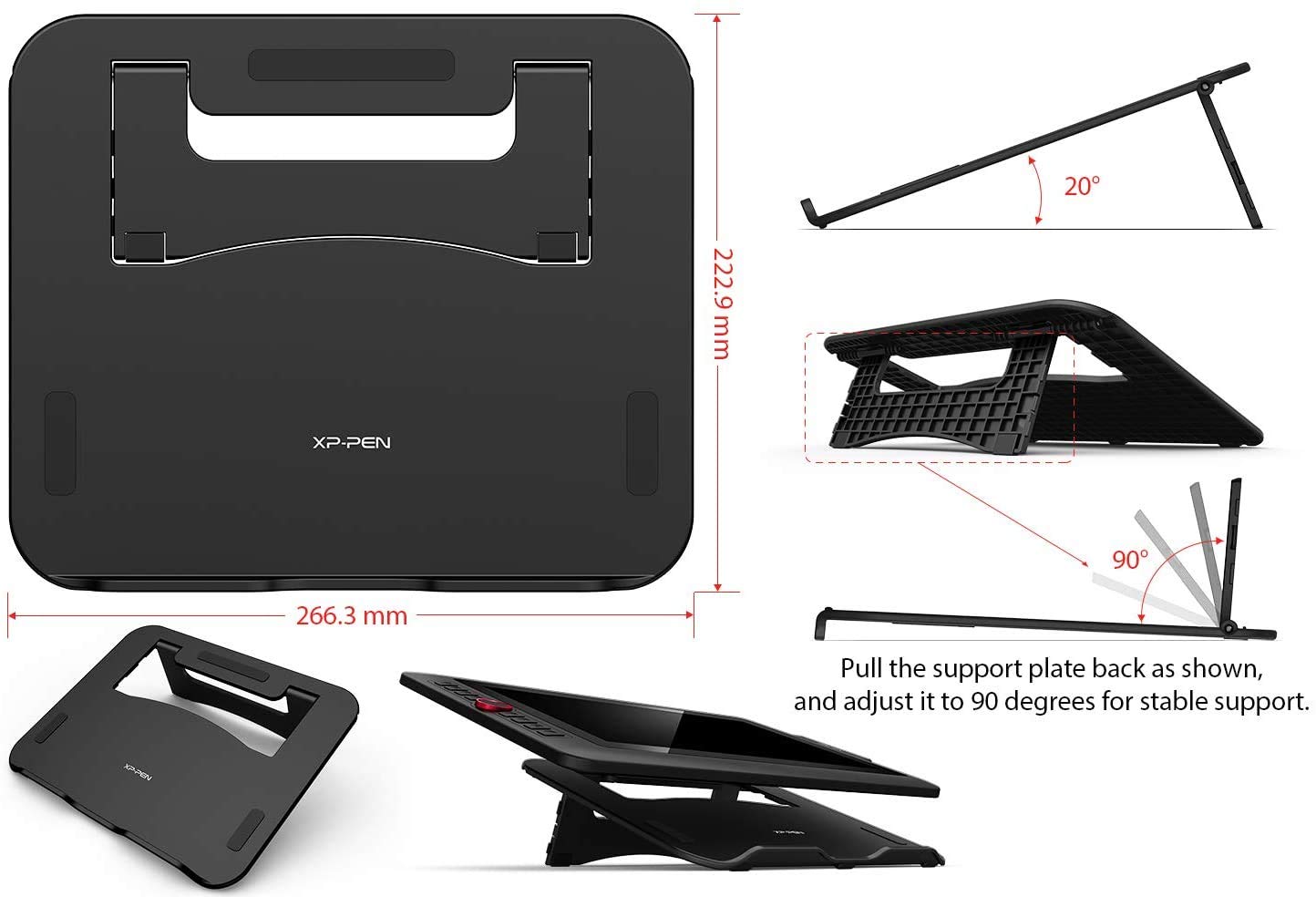
✅ [Complete Bundle]: Standard box contents include a Pen Display, Portable stand, Battery-free Stylus, Pen Holder with 8 replacement nibs, 3-in-1 USB-C cable, USB extension cable, Drawing glove, Pen Clipper and a Quick Guide. Free driver is also available for download.
